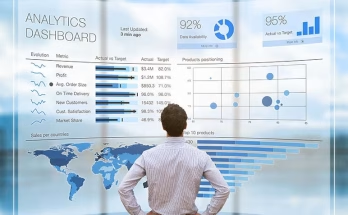
Many teams sit on more data than they can handle. New tools, new apps, and new workflows keep adding to the pile. Reports take too long to read. Dashboards feel crowded. Files spread across different systems leave people unsure about what to trust. This causes slow decisions and missed chances to fix problems early. Most companies want to use data well, but the volume grows faster than their ability to make sense of it.
This article explains how teams can cut through the noise and turn large amounts of information into clear insight without adding more stress or complexity.
Cleaning and Preparing Data the Right Way
Poor data quality slows down every project. Teams lose time when they must fix errors or search for missing details in old records. Cleaning the data early prevents these delays. It also builds trust. When everyone knows the information is consistent, they feel more confident making decisions with it. Cleaning does not need complex steps. Removing duplicates, fixing broken entries, and choosing clear labels can make a big difference. A steady cleanup process also reduces mistakes over time because people follow the same rules. This makes future analysis faster and easier.
Using Context to Find Meaning in Large Datasets
Many teams store plenty of facts, but they struggle to see how those facts relate to each other. This is where a knowledge graph becomes useful. But what is a knowledge graph and how does it help? It helps link data points in a way that shows relationships. When teams understand how pieces connect, they can spot patterns faster. They learn why certain issues repeat or how one change affects another part of the business. This context turns raw information into something more practical. It helps people answer more complex questions without digging through long reports. With this clarity, teams can make decisions that feel grounded and timely.
Creating a Single View Across Key Systems
Data overload becomes worse when information sits in many places. People switch between tools and lose track of where things live. A single view helps the team see the full picture without moving everything into one platform. This can be done by connecting the main systems so teams can search and review information from one point. When done well, this approach reduces confusion and cuts the time spent jumping across apps. It also helps teams avoid conflicting numbers because they work from one source of truth. The effort pays off through better coordination and fewer mistakes.
Choosing Metrics That Support Real Decisions
Many companies track too many metrics. This makes it harder for teams to understand what matters. A smaller set of measurements works better because it keeps everyone focused. Good metrics reflect real business needs. For example, a support team may track response time and resolution quality. A product team may watch feature usage and customer feedback trends. These metrics show changes that teams can act on right away. When each metric connects to a clear goal, reports become easier to read. This reduces confusion and helps teams make decisions with confidence.
Designing Dashboards That People Use Every Day
A dashboard should not overwhelm the user. Many dashboards try to show everything on one screen, but this only adds noise. A clear dashboard groups information in a simple way. It highlights the data that people check most often. This includes trends, alerts, and progress updates. When teams design dashboards with a small set of key indicators, users spend less time searching for answers. A clean layout also encourages regular use. People trust dashboards that stay consistent and display reliable information. When teams update them with the right details, dashboards become a daily tool instead of a last resort.
Helping Teams Access Data Without Barriers
Many employees want to use data but struggle with complex tools. This creates delays because teams depend on specialists to run reports or explain results. When companies make data easier to access, more people can solve problems on their own. Clear labels, simple filters, and consistent terms help non-technical users find what they need. Search features should support basic questions so people can explore the information without training. These steps improve the flow of work across departments. They also reduce pressure on analysts, who can then focus on deeper projects. Better access helps everyone move faster with fewer roadblocks.
Improving Collaboration Between Technical and Business Teams
Data projects work best when teams speak the same language. Technical teams know how data moves, while business teams understand real-world needs. When these groups work together from the start, they avoid confusion later. Regular check-ins help both sides agree on definitions and priorities. This ensures that numbers match across departments. When teams share context early, they prevent mismatched reports and conflicting interpretations. Collaboration also helps technical teams design tools that support everyday tasks. When people communicate clearly, data becomes easier to use and trust across the organization.
How AI is Empowering Game Creators Without Coding Skills
Running Small Experiments to Learn What Works
Large projects often take too long and introduce risk. Small experiments give teams a better way to test ideas. A small test may involve a limited set of users, a single workflow, or a short time frame. This approach helps teams see what works before they invest more effort. It also helps them adjust quickly when results surprise them. When teams run small tests often, they learn faster and avoid large mistakes. These experiments help organizations find useful insights without long delays. The feedback they gather guides better decisions and improves future projects.
Data overload does not need to slow a company down. When teams focus on structure, clarity, and access, they gain more value from the information they already collect. The key steps include picking the right goals, maintaining clean data, and giving people the tools they need to explore it. Clear dashboards and simple metrics support daily decisions. Good communication between teams builds trust in the numbers. Small tests help organizations learn without taking big risks. These practices show that companies do not need more data. They need better ways to organize and use what they have. This shift helps teams move faster and make decisions with purpose.